Are we on the same page?
When it comes to website development projects, proper preparation is key. It keeps the project running smoothly and on schedule, and it keeps your developer sane.

Clear communication is essential to everyone being on the same page and the project being completed to your satisfaction. Provide clear, detailed instructions, ask questions when you're unsure, and be open to feedback. Most misunderstandings come from not providing enough information or not being specific enough.
Just as I work hard to understand your needs, it helps enormously if you understand your developer's. Obviously never get us wet or feed us after midnight, that goes without saying, but a few things genuinely make this a joyful union: if there are design aspects you definitely want, or definitely don't, state them early and state them clearly. Be as detailed as possible and double-check that I've understood your requirements.
Some handy terms
Terms I use regularly and what they mean:
- Domain name: the unique web address that identifies a website; what people type into a browser to reach you.
- Page: an individual page of content, containing text, images, video and other elements.
- Section: a grouping of content on a page.
- CTA: call to action; usually a button or link encouraging a specific action, like filling out a form.
- Collection: a group of similar items stored together, used for things like products or blog posts.
- Copy: the text content on a website, from titles to body text.
- Assets: the files used on a website: images, videos, audio, PDFs and other documents.
Copy and assets
In my experience, late materials are the single thing most likely to derail or delay a project. Your developer needs copy, images and assets to begin, so create a clear, organised file structure:
- A separate folder for each main page (Home, Products, Services, About and so on), named for the page it represents.
- A document in each folder holding that page's text copy.
- Break the page into logical sections, starting each with a page break and the section's name: hero, introduction, features, testimonials, footer.
- Keep each section's text within its section, with headings clearly identifiable and paragraphs in on-page order.
- Keep images out of the copy document. Put them in an assets folder, named like
home_hero_background.png,home_features_img.jpg,logo.svg. - Avoid vague names like
image1.jpgorfinal copy.docx. Otherwise your developer might start calling you Vague McGeneric behind your back. ;-)
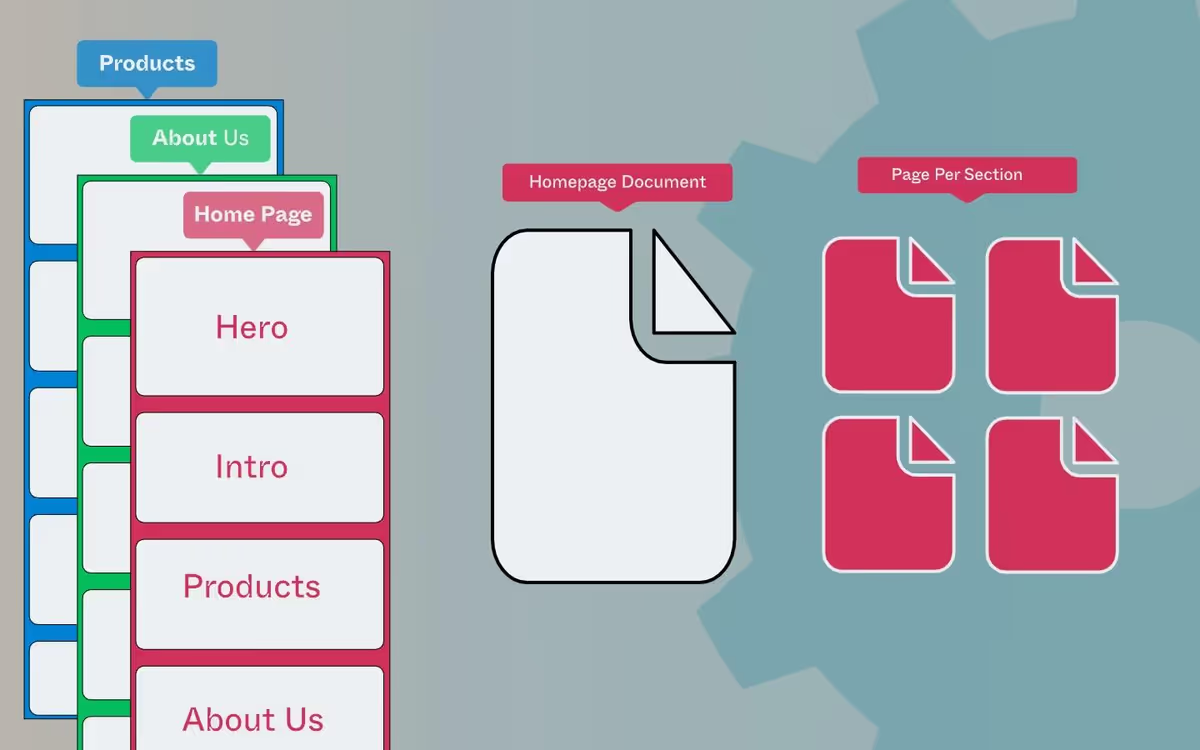
Provide materials in the appropriate format: JPEG or PNG for images, PDF for documents.

Credentials and keys
Some tasks, such as integrations between your website and your CRM or email marketing tools, require passwords or API keys. When that happens I explain why I need them, how to share them securely, and how I protect them.
Designs
If you are providing the design yourself, include the layout and every specification that needs to be followed. The more complete the picture, the closer the build lands to what you imagined.